
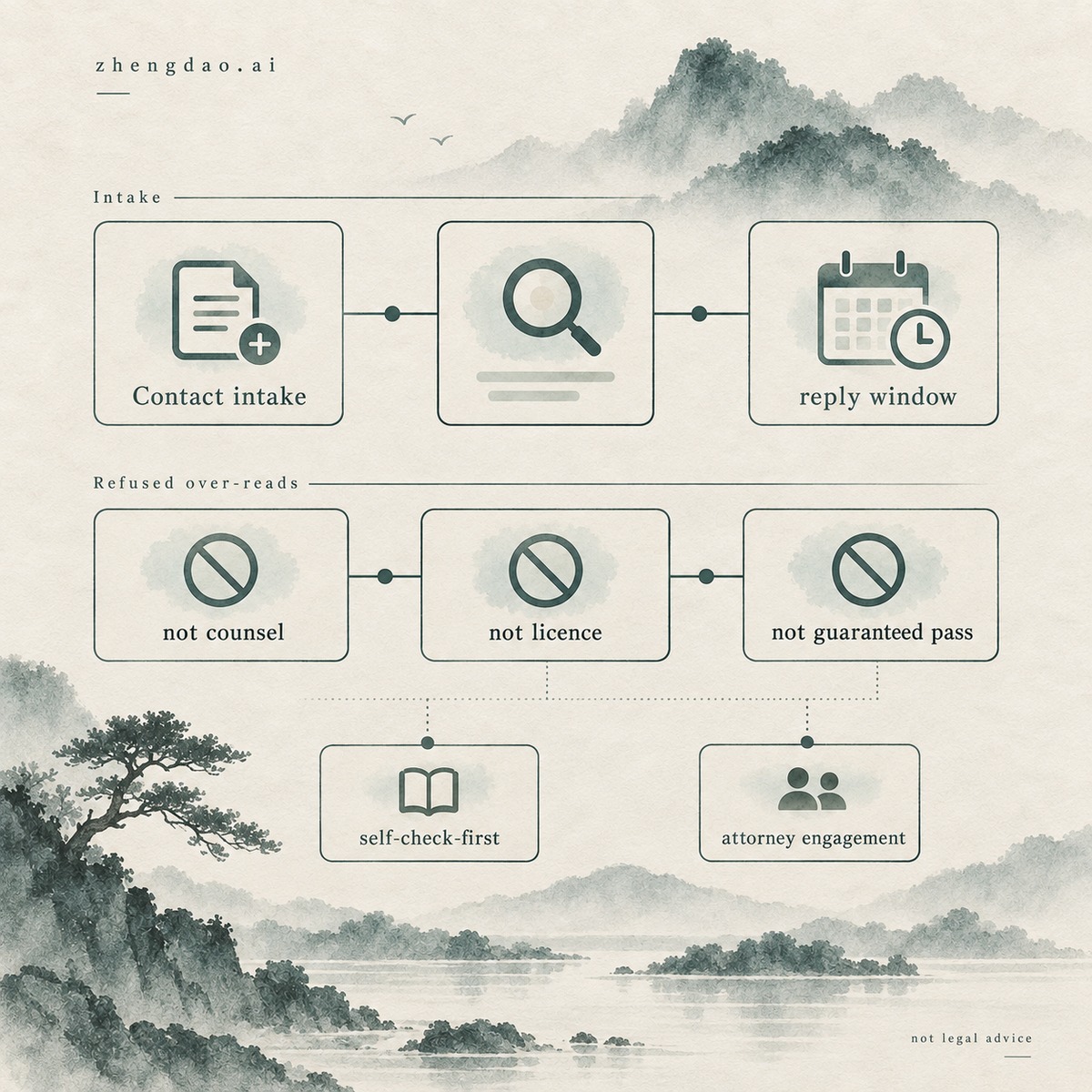
When you open Zhengdao’s Contact page, you are starting an intake conversation—not collecting counsel or a licence decision. An email to hi@zhengdao.ai is a request for a reply within the stated business-day window. It is not legal advice, not a licence grant, and not a guaranteed pass. This guide shows you how to use Contact: what three things to tell, how to email, when to self-check first, and what Contact does not grant.
What Contact is for — three things to tell
You use Contact when you already have a concrete situation to describe and you need a conversation arranged from that overview. Live Contact copy asks you to tell three things so help can start faster: (1) your product or industry, (2) the specific concern, and (3) your timeline. You treat those three fields as the minimum intake map—not as a licence application form and not as a diligence certificate you can paste into a customer portal.
You keep each field honest and short. Product or industry tells the reader which catalogue, tariff, or control-list neighbourhood your facts live in. The specific concern names the decision that is stuck—classification, counterparty, end use, a notice you received, or a programme gap. Timeline tells whether you are planning, shipping soon, or already under a clock. Incomplete truth stays incomplete; Contact does not invent the missing facts for you.
You do not invent a fourth “guaranteed clearance” field the page does not offer. You do not treat a polite reply as a MOFCOM determination. You do not treat silence past your preferred date as a pass or a fail—only as a signal to follow the stated reply window and escalate urgency the way the page instructs when penalty proceedings apply.

How to email — address, reply window, [URGENT], enquiry template
You email hi@zhengdao.ai. Live Contact language states a reply within 2 business days. For urgent penalty proceedings—a received administrative-penalty notice, summons, or similar—you mark the subject [URGENT] so the intake queue can see the clock. You use that marker only when the facts match; you do not decorate ordinary planning questions with urgency tags that dilute the signal.
You can open the live Write with enquiry template control when you want a pre-filled mailto. The template prompts Product or industry, Specific concern, and Timeline, and reminds you not to send sensitive documents in your first email. You treat that template as a convenience for the three-field map—not as counsel’s engagement letter and not as a licence filing package.
Meta description language on the live page mentions export-control training, Internal Compliance Program (ICP) implementation, and compliance health assessments. You read that as page intent for the kinds of conversations Contact can route—not as a price list, not as a package menu with invented fees, and not as a promise that emailing equals enrolment in any service path. When the conversation later needs a structured service entry, you keep that separate from intake literacy.
Data-minimisation and the privacy boundary
You send an overview first. Live Contact copy states a data-minimisation commitment: do not send ID documents, original licences, or other sensitive materials in your first email; only an overview of the problem is needed to arrange a conversation. Your contact information is used solely to respond to your enquiry, with the live page pointing to the site privacy policy for that use boundary.
You keep sensitive originals offline until a later, agreed channel asks for them—if it ever does. You do not attach passport scans “to be helpful.” You do not attach full licence PDFs in the first message. You do not paste customer bank details, full beneficial-owner packs, or sealed regulator correspondence into an unsolicited first email when an overview would start the conversation. Minimisation is not rudeness; it is the intake rule the live page already states.
You also keep the site-wide humility beside the inbox. Contact is still general compliance information routing—not a vault that turns your attachment into a legal opinion. Incomplete documents do not become complete determinations because they arrived by email.
When to self-check first vs contact now
You open the free self-check first when you are not sure what to ask. Live Contact language says exactly that: spend about three minutes on the free compliance self-check, then bring the result—the conversation goes faster. Keep Compliance health self-check once for that browser-local orientation. A score or missing-element list is educational reference. It is not certification, not a regulator grade, and not proof that Contact already answered your legal question.
You contact now when the situation is already clear enough to name: a product line and concern you can describe, a timeline you can state, or an urgent penalty proceeding that needs the [URGENT] subject mark. You do not delay a received administrative-penalty notice until you finish a quiz. You do not treat a self-check band as a substitute for describing the real notice, summons, or stuck decision in the three-field map.
You keep self-check and Contact complementary. Self-check orients you when the question is fuzzy. Contact starts a conversation when you can already name product or industry, concern, and timeline. Neither surface grants a licence. Neither surface replaces counsel when a legal judgment is required.
What Contact does not grant
You finish intake literacy with the refusals the site already makes elsewhere and that Contact’s own humility implies.
- Not legal advice. An email, a template reply, or a scheduled conversation is not counsel’s opinion for your facts. Site disclaimer language restates that general compliance information is not legal advice; keep Disclaimer once when you need that boundary surface in full.
- Not a licence. Describing a product and a concern does not become a MOFCOM determination or a licence grant.
- Not a guaranteed pass. A reply within 2 business days is a stated response window—not an outcome promise for clearance, scoring, or customer diligence.
- Not guaranteed reply outcomes beyond the stated SLA language. You may get questions back, a pointer to a free tool, a services conversation, or a referral path. You do not invent a “email equals cleared” result the page never offers.
- Not evasion help. The site declines schemes to evade export controls, customs supervision, or economic sanctions. Contact is not a channel for that ask.
When the work needs a legal judgment—opinions, reconsideration, litigation representation—you escalate to cooperating licensed attorneys under separate engagement. Keep Professional teams we work with once for the partner-attorney surface. You do not paste a Contact reply into a customer form as if a licensed attorney had signed your file.
Contact vs About vs services vs team vs disclaimer
You keep the surfaces separate so one fluent inbox does not collapse into another.
You open Contact when you need intake: three things, email, reply window, urgency mark, data-minimisation. That is the job of this article’s main CTA.
You open About when you need company and trust literacy—who operates the site, method, and attorney division of labour. Keep About Zhengdao once for that surface. You do not treat About paragraphs as a substitute for sending the three-field overview when you actually need a conversation.
You open services when gaps already need structured delivery—training, ICP consulting, or a health assessment. Keep Put compliance requirements into every transaction once for that entry hub. Meta intent on Contact may mention those paths; you still choose services deliberately after intake, and you do not treat an email as enrolment or as a licence decision. Ready services how-to exists separately—this page does not rewrite it.
You open team when you need the partner-attorney surface for separate legal engagement. You open disclaimer when you need the site-wide legal boundary restated. You do not use either page as a shortcut past counsel when your facts need a licensed judgment, and you do not use Contact as a shortcut past verifying official text for your transaction.