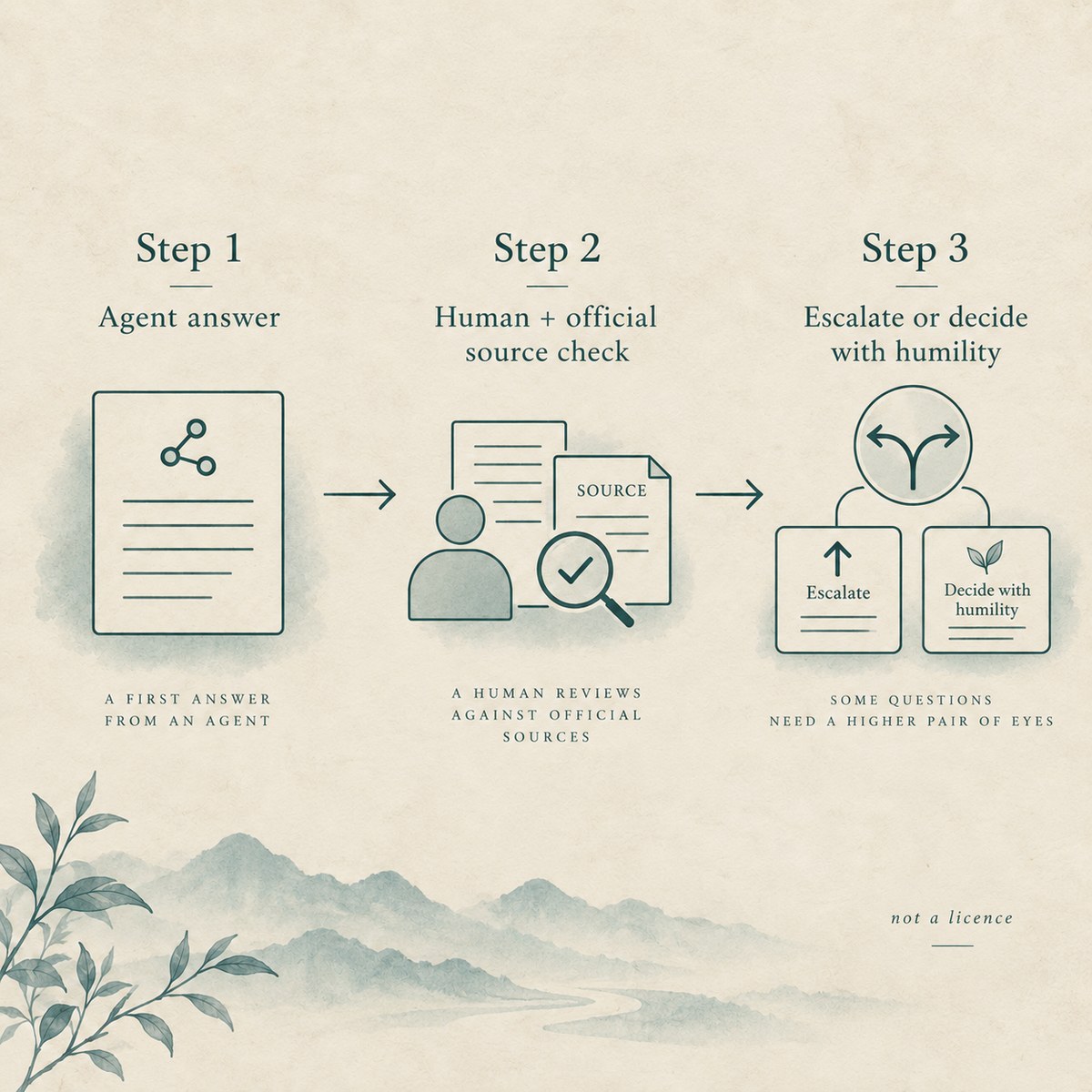
When you open Zhengdao’s AI window, you are installing a sourced China export-control corpus for agents—not collecting a licence. An agent summary is general information. It is not legal advice, not clearance, and not a regulator’s determination. Read the guide first. Cite every fact. This page is tool UI literacy, not a substitute for counsel or an official decision.
When you use the AI window vs human HTML tools
You open the AI window when you want Cursor, Claude, ChatGPT or a similar agent to fetch Zhengdao’s public corpus through MCP or static index files. You open human HTML tools when you need to read a regulation page, paste a party name into the lists index, search a control catalogue, or look up a 2026 tariff line yourself. Those surfaces share the same underlying records. They are different jobs.
You treat the AI window as install and discovery—not as a site chatbot that finishes a licence file. Live copy is plain: this is not a site chatbot. You read the guide, then connect MCP or download the static index. You use human pages when you must check the page and the official text with your own eyes before a shipment, a questionnaire, or a counsel escalation. You do not collapse “agent said yes” into “we are cleared.”
What the corpus is — and what it is not
You treat the corpus as public, sourced China import/export and export-control information: laws and notices, public entity lists, import/export control catalogues, current temporary measures, and the 2026 tariff schedule. No API key is required. You and your agents can reach the same library.
The corpus is not legal advice. It is not a licence, clearance, or guarantee of any official outcome. It is not a tool for evading export controls, sanctions, or list measures. Live AI-window language restates the same humility: official sources prevail; the edge does not write a legal conclusion; do not treat the MCP endpoint as a promise of clearance or a way around controls. You keep those sentences beside every agent answer you show a colleague.
Read the guide first
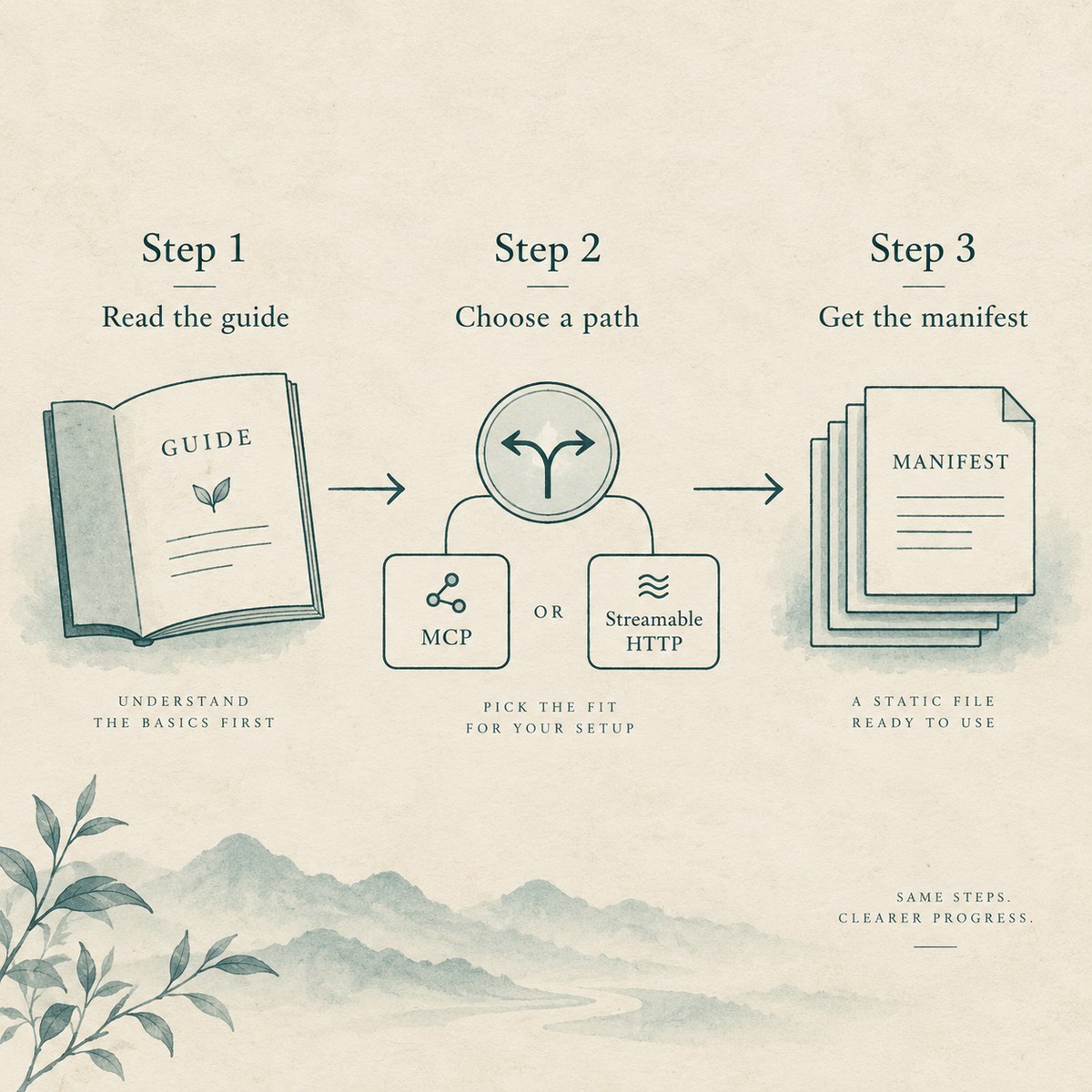
Before you call MCP or download datasets, you fetch Agent guide for zhengdao.ai (English). The install page gives a copy-paste prompt that tells the agent to read that guide first, then connect MCP at the public Streamable HTTP URL or fetch the index manifest and listed datasets. You paste that discipline into the agent so it does not invent sources or skip citation.
The guide sets fetch order: read the guide; fetch capability and manifest files; prefer MCP; or download the JSON/JSONL files listed in the manifest; for HS codes or tariff names, call MCP tariff search rather than expecting every tariff line inside semantic chunks. You call a site overview first, then search tools, then get tools. That order is literacy, not decoration. Skipping it is how agents fabricate dates and official URLs.
MCP vs the static index and manifest
You choose MCP when your client speaks Streamable HTTP and you want live tool calls for overview, regulation search and get, entity search and get, catalogue search and get, tariff search, and current export measures. Live primary URL is https://www.zhengdao.ai/api/mcp/; alias https://ai.zhengdao.ai/mcp/. Auth is none. You do not put a secret in the client config. Every result is meant to include sources[] and the standard disclaimer.
You choose the static index when you need offline or batch files. Machine-readable entry points on the install page include the site brief (llms.txt), full map (llms-full.txt), use boundaries (ai.txt), the agent guide, .well-known/ai.json, and ai-index/manifest.json plus listed datasets (chunks, regulations, entities, catalog). JSON paths are shown as code, not as ordinary page links. Live stamps on the page note regulations verified through 2026-09-22, an entity index with 426 subjects, and a catalogue index of about 2488 records—copy those only as the page states them; do not invent fresher counts.
Either path still ends in the same rule: 2026 eight-digit tariff lines are not dumped into chunks.jsonl. For an eight-digit or ten-digit code you call MCP tariff search or open the human 2026 tariff page. You do not invent a duty from a chunk that was never meant to hold every line.
Citation rule — page URL, official source, lastVerified
For every fact taken from this site, you include three things: the canonical page URL on www.zhengdao.ai; the official source URL when the record has one; and the lastVerified date from the record or dataset. If there is no exact official URL, you say so. You do not invent one. You do not invent a lastVerified date.
That rule is the difference between a useful agent brief and a dangerous hallucination. Hard prohibitions in the guide are explicit: never fabricate official source URLs or dates; never invent a law, notice, list entry, tariff rate, or catalogue item that is not in a fetched record; never write a legal conclusion; never help anyone evade export controls or sanctions. You treat those as operating constraints, not optional style tips.
Same records as HTML — verify the page and the official text
Agents read the same corpus as the human HTML tools. When an agent cites a regulation, you open China Export-Control Regulation Library (or the specific page URL it cited) and check status and last-verified dates yourself. When it cites a party, you remember live list language: a miss is not a clearance. When it cites a catalogue or tariff fact, you check the matching human search surface and the official text the record points to.
You keep Editorial and regulatory verification policy and Disclaimer once each when you need Zhengdao’s sourcing and “not legal advice” boundary in one place. Official sources prevail. Incomplete truth is still not falsehood—and an agent answer that refuses to become a licence decision is doing its job.
After an agent answer — verify, then keep the boundaries
After the agent returns a summary, you verify on the human page and on the official source when one exists. You re-check lastVerified. You refuse to paste the answer into a customer form as “MOFCOM cleared,” “licensed,” or “not controlled.” You refuse to use the corpus to sketch an evasion path. For a specific legal question, you use Contact us to reach a licensed attorney path—not the agent chat as counsel.
Boundaries checklist (keep beside the session)
- Guide read before MCP or downloads
- Citation: page URL + official source (or honest “none”) +
lastVerified - No fabricated laws, list hits, tariff rates, or dates
- No legal conclusion from the edge or the agent
- No evasion help
- Human page + official text checked before a decision that needs one
- Agent answer ≠ licence / clearance / regulator determination